
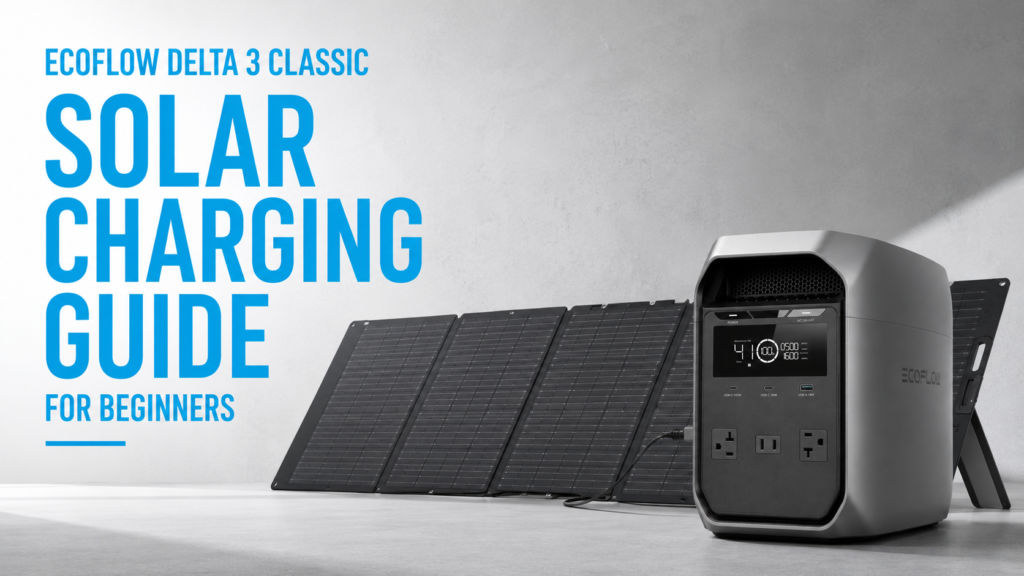
Buying a portable power station is only half the journey. Learning how to use EcoFlow DELTA 3 Classic solar charging effectively is what unlocks true energy independence. Whether you’re preparing for power outages, camping off-grid, or reducing electricity costs, solar charging lets you recharge your battery almost anywhere the sun shines.
The good news is that the DELTA 3 Classic makes solar charging surprisingly simple. However, beginners often choose incompatible panels, overlook essential accessories, or misunderstand charging times. In this guide, you’ll learn how the solar charging system works, how to choose the right equipment, and the best practices for getting the fastest and safest charging performance.
Quick Answer: Can You Charge the EcoFlow DELTA 3 Classic with Solar?
Yes. The EcoFlow DELTA 3 Classic supports solar charging through its XT60i solar input.
Its solar specifications include:
- Maximum solar input: 500W
- Maximum input voltage: 60V
- MPPT charging technology for improved efficiency
- Compatible with EcoFlow and many third-party solar panels that stay within voltage and current limits
For a complete overview of compatibility, read Can the EcoFlow DELTA 3 Classic Charge Using Solar Panels?
How EcoFlow DELTA 3 Classic Solar Charging Works
Solar panels generate direct current (DC) electricity. That electricity travels through an XT60i connection into the DELTA 3 Classic, where its built-in Maximum Power Point Tracking (MPPT) controller continuously adjusts the incoming power to harvest as much solar energy as possible.
Unlike simple charge controllers, MPPT technology automatically adapts to changing sunlight throughout the day. As a result, your power station can charge more efficiently during cloudy conditions or changing temperatures.
According to EcoFlow’s official documentation, the DELTA 3 Classic accepts up to 500 watts of solar input, allowing significantly faster charging than many portable power stations in its size class.
What You Need Before You Start
A successful solar setup requires more than just a power station.
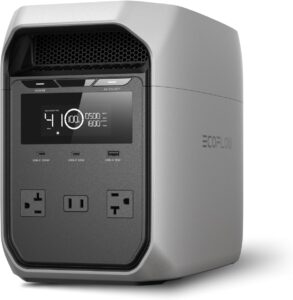
EcoFlow DELTA 3 Classic
Your primary battery system.
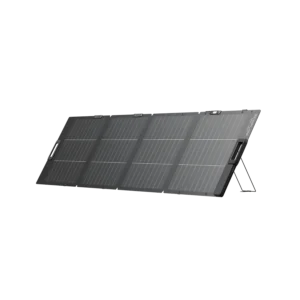
Compatible Solar Panel
A high-quality portable panel dramatically improves charging performance.
If you’re still comparing options, see Best Solar Panels for the EcoFlow DELTA 3 Classic.
XT60i Solar Cable
Many new owners are surprised to discover that the solar connector is not always included. Customer reviews consistently mention purchasing one separately.

Tip: Verify which accessories come with your retailer before your first camping trip.
Step-by-Step EcoFlow DELTA 3 Classic Solar Charging Setup
Step 1: Position the Solar Panel
Place the panel in direct sunlight.
Avoid:
- Shade
- Trees
- Buildings
- Dirty panel surfaces
Even partial shading can significantly reduce output.
Step 2: Connect the XT60i Cable
Connect the solar panel to the XT60i cable before plugging it into the DELTA 3 Classic.
Double-check that every connector is fully seated.
Step 3: Monitor Charging
The display automatically shows:
- Solar input wattage
- Battery percentage
- Estimated charging progress
The EcoFlow app also allows remote monitoring and charging statistics.
Step 4: Adjust Panel Angle
Throughout the day, reposition the panel toward the sun.
Even small angle adjustments can noticeably improve energy production.
How Long Does Solar Charging Take?
Charging speed depends on:
- Solar panel wattage
- Sun intensity
- Weather
- Panel orientation
- Battery state of charge
Approximate charging times:
| Solar Input | Estimated Charge Time |
|---|---|
| 110W | 10–12 hours |
| 220W | 5–6 hours |
| 400W | 3–4 hours |
| 500W (maximum) | Around 2.5–3 hours under ideal conditions |
Real-world conditions are rarely perfect. Clouds, heat, and seasonal sunlight usually increase charging time.
The U.S. Department of Energy explains how weather, panel angle, and shading affect solar performance.
Common Beginner Mistakes
Many customer frustrations come from simple setup mistakes rather than hardware problems.
Buying the Wrong Solar Panel
The DELTA 3 Classic accepts a maximum input voltage of 60V.
Never exceed the manufacturer’s voltage specifications.
Forgetting the XT60i Cable
One of the most common customer complaints is realizing the required solar cable wasn’t included.
Buying the correct connector ahead of time prevents unnecessary delays.
Expecting Full Output All Day
Solar panels only reach their rated wattage under ideal laboratory conditions.
Most users should expect 60–90% of rated output depending on conditions.
Leaving the Panel Flat
Tilting the panel toward the sun can noticeably improve charging efficiency.
Ignoring Battery Preparation
Many experienced owners recommend keeping the battery nearly full before storm season instead of waiting until severe weather arrives.
Tips to Maximize EcoFlow DELTA 3 Classic Solar Charging
To get the best results:
- Keep panels clean
- Reposition panels every few hours
- Avoid partial shading
- Charge during peak sunlight
- Monitor input power using the EcoFlow app
- Store the XT60i cable with the power station
- Test your complete setup before emergencies
Customer feedback consistently shows that owners who regularly test their equipment experience fewer problems during real power outages.
Is Solar Charging Worth It?
For many buyers, absolutely.
Solar charging provides:
- Renewable energy
- Lower long-term operating costs
- Quiet charging
- Off-grid capability
- Emergency preparedness
- Greater independence during extended outages
If your primary goal is emergency backup or camping, many owners later say they regret not purchasing solar panels at the same time as the power station.
For a broader buying perspective, see our Ultimate EcoFlow DELTA 3 Classic Buying Guide.
Frequently Asked Questions
Can the EcoFlow DELTA 3 Classic charge while powering devices?
Yes. It supports pass-through charging, allowing many devices to operate while the battery is recharging.
What is the maximum solar input for EcoFlow DELTA 3 Classic?
The maximum supported solar input is 500W with a maximum input voltage of 60V.
Does the EcoFlow DELTA 3 Classic include the XT60i cable?
Not always. Many customers report purchasing the XT60i cable separately, so verify what’s included before ordering.
Can I use third-party solar panels?
Yes, provided they remain within EcoFlow’s supported voltage and current specifications.
Is EcoFlow DELTA 3 Classic solar charging good for emergencies?
Yes. Solar charging allows you to recharge during extended outages when grid electricity isn’t available, making it popular for storm preparedness and off-grid backup.
Which solar panel works best with the EcoFlow DELTA 3 Classic?
Portable panels around 220W to 400W offer an excellent balance between portability and charging speed for most users.
Final Verdict
For beginners, EcoFlow DELTA 3 Classic solar charging is straightforward once you understand the basics. Pair the power station with a compatible solar panel, use the correct XT60i cable, and follow proper setup practices to maximize charging efficiency.
Customer feedback consistently highlights solar compatibility as one of the unit’s strongest features for camping, emergency preparedness, and off-grid living. At the same time, planning ahead by purchasing the necessary accessories—and understanding the system’s limits—helps avoid the most common frustrations.
If you’re building a reliable backup power system, adding solar panels from the start is one of the smartest investments you can make.
Authoritative Resources
- EcoFlow DELTA 3 Classic User Manual: https://manuals.ecoflow.com/
- EcoFlow Product Specifications: https://www.ecoflow.com/
- U.S. Department of Energy – Solar Energy Basics: https://www.energy.gov/eere/solar
- National Renewable Energy Laboratory (NREL): https://www.nrel.gov/
- ENERGY STAR Home Energy Guidance: https://www.energystar.gov/


