Imagine updating your portable power station before a camping trip or storm season, only to watch the unit suddenly shut off halfway through the process. It’s frustrating, and in some cases, it can leave the device temporarily unusable.
If you’re wondering why your portable power station turns off during a firmware update, you’re not alone. User reviews across multiple brands show that failed updates, Bluetooth disconnects, and unexpected shutdowns are among the most common software-related complaints. Fortunately, most cases are caused by built-in safety systems rather than permanent hardware failures.
In this guide, you’ll learn why firmware update shutdowns happen, how manufacturers design updates to work, and the steps you can take to avoid update failures.
Quick Answer
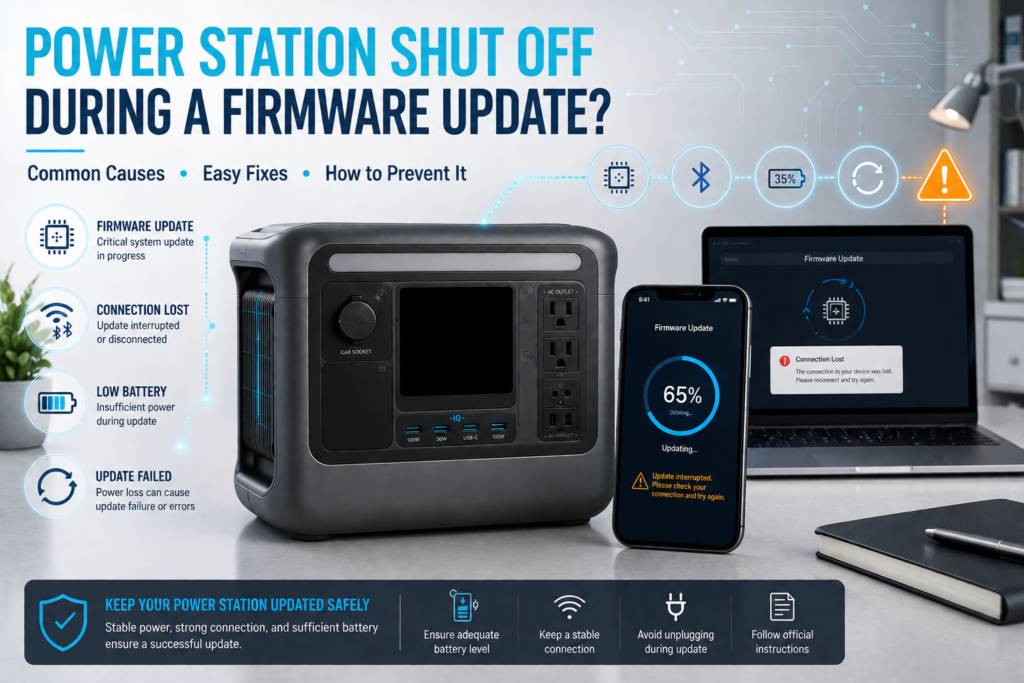
A portable power station may turn off during a firmware update because the system temporarily restarts internal components, disables power outputs for safety, loses communication with the mobile app, or encounters a software error.
In many cases, the shutdown is intentional. However, if the unit fails to restart or repeatedly aborts updates, the issue may involve firmware corruption, connectivity problems, insufficient battery charge, or a hardware fault.
What Is a Firmware Update?
Firmware is the low-level software that controls how a portable power station operates.
It manages:
- Battery charging
- Power output regulation
- Solar input
- UPS functionality
- App connectivity
- Safety protections
- Display operation
Manufacturers release firmware updates to improve performance, add features, fix bugs, and address safety issues.
According to official documentation from major manufacturers such as Anker, Bluetti, EcoFlow, and Jackery, firmware updates are an important part of maintaining long-term reliability.
Why a Portable Power Station May Turn Off During a Firmware Update
1. Outputs Are Disabled for Safety
Many power stations temporarily disable AC, DC, and USB outputs while installing firmware.
This prevents:
- Electrical instability
- Data corruption
- Incomplete firmware installation
- Damage caused by sudden load changes
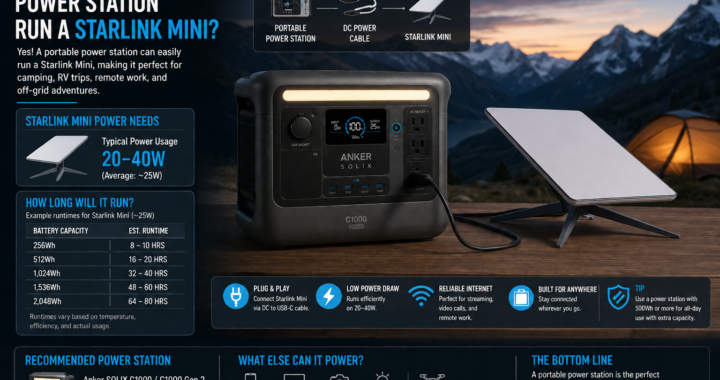
Some users have reported internet routers, Starlink systems, and other connected devices losing power during updates because outputs were automatically shut down.
2. The Internal Controller Reboots
Firmware updates often require the battery management system (BMS) and inverter controller to restart.
When this happens, the device may:
- Turn off briefly
- Go dark for several minutes
- Restart automatically
- Disconnect from the app
This behavior is usually normal.
3. Bluetooth or Wi-Fi Connection Drops
Many updates are delivered through a mobile app.
If Bluetooth or Wi-Fi disconnects during installation, the update may fail before completion.
Common causes include:
- Walking away from the unit
- Phone battery-saving mode
- Weak wireless signal
- App crashes
Several users reported repeated firmware failures that were eventually resolved after reconnecting the device and restarting the update process.
4. Battery Charge Is Too Low
Most manufacturers recommend maintaining sufficient battery capacity before starting an update.
Low battery levels increase the risk of:
- Unexpected shutdowns
- Incomplete installation
- Firmware corruption
A good rule is to start updates with at least 30% to 50% battery capacity and, when possible, keep the unit plugged into AC power.
5. Firmware Bugs
Occasionally, the update itself contains software bugs.
Users across multiple brands have reported:
- Failed installations
- Endless update loops
- Frozen screens
- Repeated reboot cycles
In many cases, manufacturers release a corrected firmware version shortly afterward.
How to Prevent Firmware Update Failures
Charge the Unit First
Ensure the battery is adequately charged before updating.
Keep the Phone Nearby
Maintain a stable Bluetooth or Wi-Fi connection throughout the process.
Disconnect Critical Equipment
If your power station is running:
- Routers
- Modems
- Security systems
- Medical equipment
- Starlink terminals
Move those devices to another power source before updating.
Avoid Using the Unit During Updates
Do not connect or disconnect large loads while firmware is installing.
Update Through the Official App
Always use the manufacturer’s official application and avoid third-party tools.
What to Do If the Firmware Update Fails
If the unit turns off and does not complete the update:
Step 1: Wait
Some updates take longer than expected.
Wait at least 10 to 15 minutes before assuming the process has failed.
Step 2: Restart the Unit
Turn the power station off and back on.
Many update issues are resolved after a simple reboot.
Step 3: Perform a Reset
Some models include a reset button or pinhole reset function.
Follow the manufacturer’s instructions carefully.
Step 4: Retry the Update
Reconnect the app and attempt the installation again.
Step 5: Contact Support
If the device remains unresponsive, contact the manufacturer directly.
Related Portable Power Station Reviews
If you’re researching reliable models and software stability, check out:
- An in-depth look at battery performance in BLUETTI Elite 200 V2 Review: Is It Worth Buying in 2026?
- Real-world testing in Jackery Explorer 1000 v2 Review: Is It Worth Buying in 2026?
- Feature comparisons in EcoFlow DELTA 3 Classic Review: Is the “Budget” Version Actually Better?
Frequently Asked Questions
Why does my portable power station shut off during a firmware update?
Most units temporarily disable outputs or restart internal controllers during the update process. This is often normal behavior.
Can a failed firmware update damage my portable power station?
In most cases, no. However, an interrupted update can occasionally corrupt firmware and require a reset or support intervention.
Should I keep my portable power station plugged in during a firmware update?
Yes. Keeping the unit connected to AC power reduces the risk of battery-related interruptions.
Why does the firmware update keep failing?
Common causes include Bluetooth disconnections, weak Wi-Fi, outdated apps, low battery levels, or firmware bugs.
Can I use my portable power station while updating firmware?
It’s best not to. Many manufacturers disable outputs during updates, and using the unit may increase the risk of installation errors.
How long does a portable power station firmware update take?
Most updates take between a few minutes and 15 minutes, depending on the manufacturer and the size of the update.
Final Verdict
If your portable power station turns off during a firmware update, the shutdown is often part of the normal update process. Manufacturers frequently disable outputs, reboot internal controllers, and temporarily disconnect the app to safely install new firmware.
However, repeated failures, endless reboot loops, or devices that refuse to power back on may indicate connectivity problems, low battery charge, software bugs, or hardware issues.
Before updating, charge the battery, disconnect critical devices, maintain a stable connection, and follow the manufacturer’s instructions carefully. Taking these simple precautions can significantly reduce the chances of a failed firmware update and keep your power station operating reliably for years to come.