
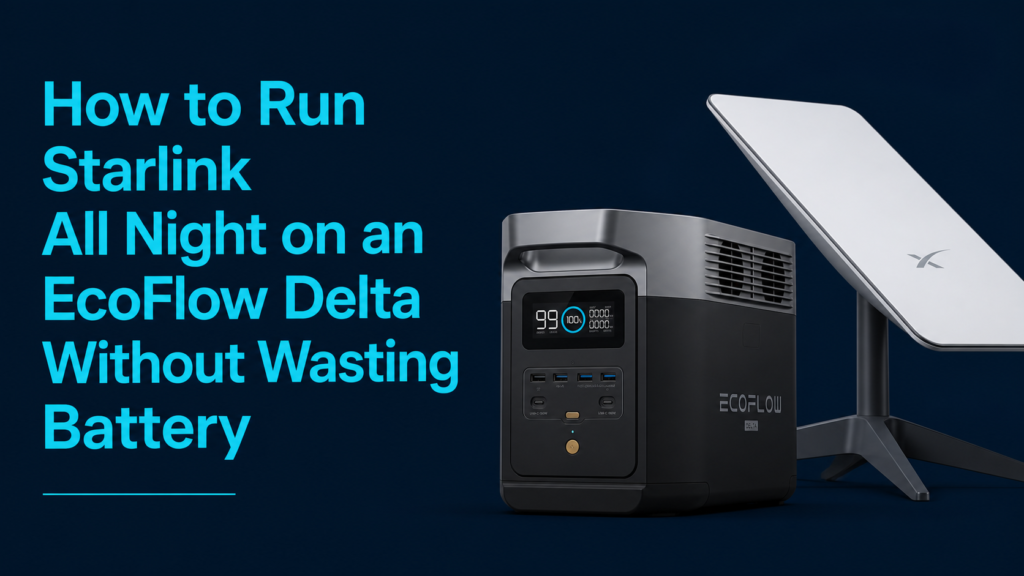
Imagine settling into your RV, cabin, or campsite with Starlink providing fast internet, only to wake up a few hours later and discover your battery is nearly empty. If your Starlink drains your EcoFlow battery overnight, you’re not alone. Many users assume the satellite dish is the problem, but the real culprit is often the way it’s being powered.
The good news is that you can dramatically extend runtime without buying a larger power station. By running Starlink directly on DC instead of converting battery power to AC and back again, you’ll waste far less energy. In this guide, you’ll learn why your battery drains faster than expected, how to build a more efficient setup, and which accessories you’ll need to keep Starlink running all night.
Quick Answer
If your Starlink dies overnight on an EcoFlow DELTA, don’t power it through the AC outlets unless necessary.
Instead:
- Run Starlink using DC power
- Use a 48V DC step-up converter
- Add a Passive PoE injector
- Monitor actual power consumption with a watt meter
This simple change can reduce inverter losses and significantly increase overnight runtime.
If you’re still learning how much your EcoFlow can realistically power, our guide on What Can the EcoFlow DELTA 3 Classic Power? Complete Appliance List provides useful runtime expectations for common devices.
Why Starlink Uses More Battery Than Expected
Many users believe Starlink consumes only around 40–60 watts, so a 1,000Wh battery should easily last overnight.
Unfortunately, that’s only part of the equation.
When you plug Starlink’s AC adapter into your EcoFlow, the power flows like this:
Battery DC
↓
EcoFlow Inverter (DC → AC)
↓
Starlink Power Supply (AC → DC)
↓
Dish Electronics
Every conversion wastes energy.
Typically, the inverter and power supply together lose 10–20% of your battery capacity, meaning your power station empties much sooner than expected.
Therefore, eliminating unnecessary conversions is one of the easiest ways to increase runtime.
Why Running Starlink on DC Is More Efficient
A DC-powered setup removes one major conversion step.
Instead of:
Battery → AC → DC
You use:
Battery → DC Converter → Starlink
That means:
- Less heat
- Less wasted energy
- Longer battery runtime
- Higher overall efficiency
For people living off-grid or traveling in an RV, these savings quickly add up.
How to Run Starlink All Night Using DC Power
The process is surprisingly simple.
Step 1: Use a 12V to 48V Step-Up Converter
Most EcoFlow DELTA models provide a regulated 12V output.
However, Starlink requires approximately 48V PoE (Power over Ethernet).
A quality step-up converter safely raises the voltage while maintaining stable output.
Check Price on Amazon: 12V to 48V 5A Step Up Converter
Step 2: Add a Passive PoE Injector
The Starlink dish receives both power and data through the Ethernet cable.
A Passive PoE injector combines these into a single cable.
Check Price on Amazon: 150W Passive PoE Injector Gigabit
Step 3: Connect the Correct Adapter Cable
Depending on your Starlink model (Gen 3 or Mini), you’ll likely need an adapter cable that converts Starlink’s proprietary connector to standard Ethernet.
Check Price on Amazon: Starlink Dishy to RJ45 Cable
Step 4: Measure Real Power Usage
Never rely on advertised wattage.
Weather, firmware updates, and network activity all affect Starlink’s power draw.
Instead, measure actual overnight consumption.
Check Price on Amazon: Powerwerx Inline DC Watt Meter and Power Analyzer
Knowing your exact watt-hour usage helps predict battery runtime much more accurately.
How Much Longer Will the Battery Last?
The exact improvement depends on:
- Starlink model
- Ambient temperature
- Network activity
- EcoFlow model
- Battery health
However, many off-grid users report noticeable runtime improvements simply by eliminating AC inverter losses.
Even saving 10–15% of battery capacity can mean the difference between waking up online or waking up with a dead power station.
As a result, switching to DC is often one of the highest-value upgrades you can make.
Real-World Lessons from EcoFlow Owners
Real user experiences reinforce the importance of managing power efficiently.
Many EcoFlow DELTA 3 Classic owners praise the unit’s fast charging, reliable battery management, and detailed display for monitoring power usage in real time. The display makes it easy to track both input and output wattage, helping users identify devices that consume more energy than expected.
However, several users also discovered that high-power loads or inefficient power conversion significantly reduced runtime, especially during overnight use or cloudy conditions when solar charging wasn’t available. Others emphasized the value of monitoring actual consumption rather than relying on estimates.
These experiences highlight an important lesson:
The less energy you waste, the longer your battery lasts.
Best Practices for Running Starlink Overnight
Getting the most from your EcoFlow isn’t just about switching to DC. A few simple habits can further extend your runtime.
Start With a Fully Charged Battery
This sounds obvious, but many overnight runtime issues begin with a battery that’s only 80–90% charged. If possible, top off your EcoFlow before sunset, especially if you’re relying on it through the night.
If you’re preparing your power station for outages or off-grid use, our guide on EcoFlow DELTA 3 Classic for Emergency Preparedness & Home Backup explains how to keep your battery ready for unexpected situations.
Turn Off Unnecessary Devices
Every watt matters.
If your EcoFlow is also powering:
- Lights
- Laptop chargers
- Fans
- Routers
- USB accessories
they all reduce the runtime available for Starlink.
Meanwhile, disconnecting devices you don’t need overnight can noticeably increase battery life.
Use the EcoFlow Display
The built-in display shows:
- Current output wattage
- Remaining runtime
- Battery percentage
Many owners appreciate how easy it is to monitor power consumption in real time, making it simple to spot unexpected energy drains.
Consider Solar Recharging During the Day
If you’re camping or living off-grid, replenishing your battery every day is just as important as conserving power overnight. Even a modest solar array can help recover the energy your Starlink system used while you slept.
Common Mistakes That Drain Your Battery Faster
Avoid these common mistakes if you want the longest possible runtime.
Leaving the AC Inverter On
Running Starlink through the AC outlets keeps the inverter active all night.
Even when Starlink isn’t drawing much power, the inverter itself consumes energy.
Using a DC-powered setup avoids this unnecessary loss.
Guessing Instead of Measuring
Many people estimate Starlink uses “about 50 watts.”
In reality, power consumption changes depending on:
- Software updates
- Weather
- Snow-melt mode
- Network traffic
- Startup cycles
A DC watt meter gives you accurate numbers instead of guesses.
Buying a Bigger Battery Before Improving Efficiency
A larger battery certainly provides more runtime.
However, spending hundreds of dollars on extra capacity often isn’t necessary if your existing battery is losing energy through inefficient power conversion.
Improve efficiency first, then decide if you actually need more battery capacity.
DC vs. AC: Which Is Better for Starlink?
| Feature | AC Power | DC Power |
|---|---|---|
| Easy to set up | ✅ | Slightly more involved |
| Energy efficiency | ❌ Lower | ✅ Higher |
| Inverter losses | Yes | No |
| Battery runtime | Shorter | Longer |
| Best for overnight use | Acceptable | Recommended |
If you’re trying to maximize every watt-hour from your EcoFlow DELTA, DC power is the clear winner.
Recommended Products
DC Step-Up Converter
Check Price on Amazon: 12V to 48V 5A Step Up Converter
Converts your EcoFlow’s 12V output into the 48V required by Starlink.
Passive PoE Injector
Check Price on Amazon: 150W Passive PoE Injector Gigabit
Provides both power and data to the Starlink dish through a single Ethernet cable.
Starlink Adapter Cable
Check Price on Amazon: Starlink Dishy to RJ45 Cable
Required for connecting Starlink’s proprietary connector to standard networking equipment.
DC Power Meter
Check Price on Amazon: Powerwerx Inline DC Watt Meter and Power Analyzer
Displays real-time voltage, current, watts, amp-hours, and energy consumption so you can accurately measure overnight usage.
Frequently Asked Questions
Can I run Starlink all night on an EcoFlow DELTA?
Yes. In most cases, you can run Starlink overnight on an EcoFlow DELTA, especially when using an efficient DC-powered setup instead of the standard AC power supply.
Does Starlink use more power at night?
Not necessarily. However, weather conditions, firmware updates, startup cycles, and optional features such as snow-melt mode can increase power consumption.
Is running Starlink on DC safe?
Yes, provided you use quality components with the correct voltage and wiring. A properly configured 48V DC setup is widely used in off-grid installations.
Why does my EcoFlow battery drain so quickly with Starlink?
The biggest reason is conversion loss. When you power Starlink through AC, the EcoFlow converts DC to AC, and then the Starlink power supply converts AC back to DC. These extra conversions waste energy.
Do I need a power meter for Starlink?
It’s highly recommended. A power meter shows exactly how much energy your system uses, making it much easier to estimate overnight runtime and identify unnecessary power loss.
Is the EcoFlow DELTA 3 Classic good for Starlink?
Yes. The EcoFlow DELTA 3 Classic provides enough capacity for many overnight Starlink setups. However, using DC instead of AC helps maximize the available battery capacity and extend runtime.
Final Verdict
If your Starlink dies overnight on an EcoFlow DELTA, the battery may not be the real problem. In many cases, unnecessary AC-to-DC power conversion wastes valuable energy that could otherwise keep your internet running until morning.
By switching to a DC-powered Starlink setup, using a quality step-up converter, Passive PoE injector, and a DC watt meter, you can reduce energy loss and make far better use of your battery. It’s a relatively inexpensive upgrade that often delivers a noticeable improvement in overnight runtime.
Before investing in a larger power station, optimize your existing setup. A more efficient power system means longer runtimes, fewer surprises, and a more reliable off-grid internet connection.


