
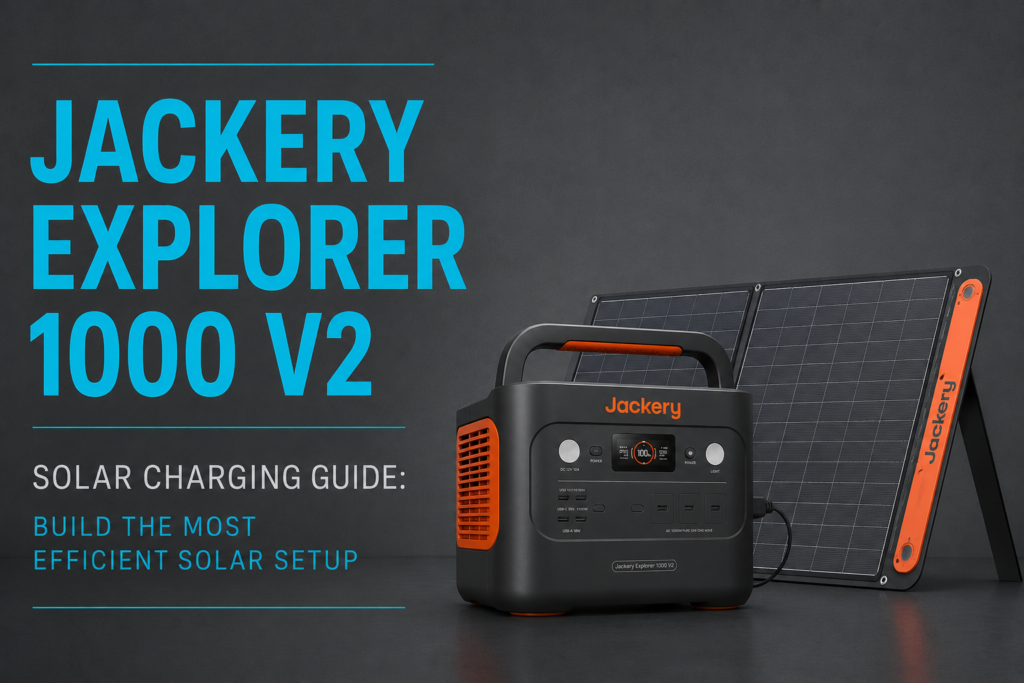
Buying a solar generator is only half the equation—getting the most from it depends on how well you build your solar charging setup. The Jackery Explorer 1000 V2 Solar Charging Guide is designed to help you maximize every watt of sunshine, whether you’re preparing for emergency power outages, camping off-grid, or traveling in an RV. While the Explorer 1000 V2 supports up to 400W of solar input, many users never reach its full charging potential because of avoidable mistakes like poor panel positioning, partial shade, incorrect adapters, or undersized cables.
In this guide, you’ll learn how to choose compatible solar panels, size your system correctly, position panels throughout the day, avoid common performance killers, and select the right accessories for the fastest and most efficient solar charging.
Quick Answer
The Jackery Explorer 1000 V2 supports up to 400W of solar input through its dual DC8020 ports. For the fastest charging performance:
- Use compatible 100W or 200W solar panels.
- Keep panels in direct sunlight.
- Reposition panels every 2–3 hours.
- Avoid even small amounts of shade.
- Use heavy-duty 10AWG extension cables.
- Select the correct DC8020 adapter when using third-party panels.
- Keep the power station itself in the shade while the panels remain in full sun.
Following these practices can dramatically improve real-world charging performance compared with simply placing panels on the ground and leaving them all day.
Understanding the Explorer 1000 V2 Solar Charging System
The Explorer 1000 V2 features two DC8020 solar input ports and accepts solar charging from compatible portable or fixed solar panels.
Although the maximum input is 400W, actual charging speed depends on several factors, including:
- Sun intensity
- Panel angle
- Ambient temperature
- Panel temperature
- Cable losses
- Cloud cover
- Shade
- Compatible voltage
Therefore, don’t expect to see maximum charging power throughout the entire day. Solar production naturally peaks around midday and decreases during the morning and late afternoon.
If your power station refuses to charge from solar, our guide Jackery Explorer 1000 V2 Not Charging From Solar? Panel Compatibility Fix explains the most common compatibility problems.
Choosing the Best Solar Panels
Jackery SolarSaga Panels
For most users, Jackery’s official SolarSaga panels offer the easiest and most reliable experience.
☀️ Recommended Product
Jackery SolarSaga 100W / 200W Portable Solar Panel
SolarSaga panels include integrated kickstands that simplify positioning while maintaining excellent compatibility with the Explorer 1000 V2.
Tech Check
- Plug-and-play compatibility
- Foldable portable design
- Built-in kickstands
- Weather-resistant construction
- Optimized for Jackery power stations

Third-Party Solar Panels
Rigid and flexible panels from manufacturers such as Renogy and BougeRV can also work extremely well.
They’re especially popular for:
- RV roofs
- Camper vans
- Cabins
- Permanent off-grid installations
Most third-party panels use standard MC4 connectors, requiring an MC4-to-DC8020 adapter.
Recommended products:
⚠️ Verify the Solar Input Voltage Before Connecting
Before connecting third-party panels, always check your solar array’s open-circuit voltage (Voc).
The Explorer 1000 V2 accepts approximately 16V–60V DC solar input. If you connect multiple high-voltage panels in series, their voltages add together and can easily exceed the 60V input limit, causing the power station to stop charging or trigger over-voltage protection.
For most portable installations, it’s safer to wire identical panels in parallel using MC4 Y-Branch Connectors. Parallel wiring increases available current while keeping voltage within the Explorer 1000 V2’s supported operating range (up to approximately 21A).
Search MC4 Y Branch Connectors on Amazon
Choosing the Correct Adapter
Using the wrong adapter is one of the most common reasons owners cannot charge from third-party solar panels.
The Explorer 1000 V2 uses the newer DC8020 connector instead of Jackery’s older DC7909 (8mm) connector.
Recommended Product
MC4 to DC8020 Adapter Cable
This cable connects standard MC4 solar connectors directly to the Explorer 1000 V2.
Tech Check
- 10AWG heavy-duty wire
- Weather-resistant connectors
- Low electrical resistance
- Compatible with most MC4 solar panels
Users upgrading from older Jackery accessories should also read Jackery Explorer 1000 V2 DC8020 Port Not Working With Your Old Cables? Here’s the Fix.
Position Your Panels for Maximum Output
Solar panels perform best when sunlight strikes them as close to perpendicular as possible.
Instead of leaving the panels in one position all day:
Morning
Face panels toward the east.
Midday
Aim directly at the sun.
Afternoon
Rotate panels toward the west.
Making small adjustments every two or three hours can noticeably increase your total daily energy harvest.
Portable SolarSaga panels make this easy because of their built-in kickstands.
Avoid Shade at All Costs
Many people underestimate how much shade affects solar production.
Even a small shadow from:
- Tree branches
- Roof vents
- Camping gear
- Antennas
- Utility poles
can reduce the output of an entire solar panel.
Always place your panels in uninterrupted sunlight whenever possible.
Use Heavy-Duty Solar Extension Cables
Sometimes the best location for your panels isn’t the best location for your power station.
For example, you may want your Explorer 1000 V2 inside an RV while the solar panels remain outside in full sunlight.
Recommended Product
10AWG MC4 Extension Cable
Heavy-duty 10AWG extension cables reduce voltage drop and improve charging efficiency over longer distances.
Tech Check
- 10AWG copper conductors
- UV-resistant insulation
- Waterproof MC4 connectors
- Available in 15–30 ft lengths
Improve Panel Angle Throughout the Day
Panel angle has a major impact on charging performance. While the SolarSaga’s built-in kickstands work well for most situations, adjusting the tilt as the sun moves can noticeably increase the total energy collected over the course of a day.
As a general rule:
- Spring & Fall: 30°–40° tilt
- Summer: 20°–30° tilt
- Winter: 45°–60° tilt
You don’t need to calculate the perfect angle every hour. Simply rotating the panels every two to three hours keeps sunlight striking the cells more directly and improves charging efficiency.
For permanent installations, adjustable mounting brackets make seasonal angle changes much easier.
Keep the Power Station Cool
Unlike the solar panels, the Explorer 1000 V2 should remain out of direct sunlight whenever possible.
Place it:
- Inside your RV
- Under an awning
- Inside a tent with ventilation
- Under a table
- In the shade beside your campsite
Keeping the battery cooler helps maintain charging efficiency and reduces unnecessary thermal stress during long charging sessions.
Jackery Explorer 1000 V2 Carrying Case also helps shield the unit from dust, dirt, and accidental scratches during transport.
Don’t Let Solar Panels Overheat
Many people focus only on sunlight, but panel temperature is just as important.
Most crystalline silicon solar panels lose approximately 0.3% to 0.5% of their output for every 1°C (1.8°F) above 25°C (77°F). On hot summer days, panel temperatures can exceed 60°C (140°F), reducing charging performance even under bright sunshine.
To minimize heat-related power loss:
- Raise portable panels slightly above the ground whenever possible.
- Leave an air gap beneath roof-mounted rigid panels.
- Avoid placing panels directly on black asphalt or other heat-absorbing surfaces.
- Clean dust and debris regularly to improve airflow and light absorption.
A cooler solar panel will almost always produce more power than a hotter one under the same sunlight.
Secure and Organize Your Cables
Loose cables are more than just untidy—they can become tripping hazards, collect dirt, or disconnect accidentally in windy conditions.
Simple accessories make your setup safer and more reliable.
Recommended accessories:
Monitor and Troubleshoot Solar Performance
If charging seems slower than expected, a few inexpensive diagnostic tools can help identify the problem before assuming something is wrong with the power station.
Useful tools include:
These accessories help you:
- Verify panel tilt
- Measure open-circuit voltage (Voc)
- Check cable continuity
- Identify poor electrical connections
- Compare panel output under different weather conditions
Real-World Charging Expectations
Although Jackery advertises fast solar charging under ideal conditions, real-world performance depends heavily on weather, panel orientation, cable quality, and system losses.
One detailed owner review described purchasing three Explorer 1000 V2 units and two SolarSaga 200W panels for hurricane preparedness on Florida’s Gulf Coast. The reviewer emphasized that planning the solar setup in advance was essential for rotating batteries during extended outages, rather than relying on a single charging cycle. They also measured actual performance with a watt meter instead of relying solely on advertised specifications.
The takeaway is simple: test your complete solar setup before you need it in an emergency. Knowing how your specific panels, cables, and appliances perform together provides far more confidence than relying on theoretical charging times.
Common Mistakes That Reduce Solar Charging
Avoid these common mistakes if you want the fastest charging speeds:
- Leaving panels flat on the ground all day.
- Allowing even small amounts of shade across a panel.
- Using thin extension cables that increase voltage drop.
- Connecting third-party panels without checking Voc.
- Wiring high-voltage panels in series and exceeding the 60V input limit.
- Leaving the Explorer 1000 V2 in direct sunlight.
- Ignoring dust, pollen, or bird droppings on the panel surface.
- Expecting maximum advertised wattage during cloudy weather or early morning hours.
Most charging problems are caused by setup issues rather than faults with the power station itself.
Frequently Asked Questions
How fast can the Jackery Explorer 1000 V2 charge from solar?
With up to 400W of compatible solar input in ideal sunlight, the Explorer 1000 V2 can recharge much faster than with a single panel. Actual charging speed depends on weather, panel angle, temperature, and cable losses.
Can I use third-party solar panels with the Jackery Explorer 1000 V2?
Yes. Most third-party solar panels work well when paired with a compatible MC4-to-DC8020 adapter and operated within Jackery’s supported solar input specifications.
What is the maximum solar input voltage?
The Explorer 1000 V2 accepts approximately 16V–60V DC. Always check the open-circuit voltage (Voc) of your solar array before connecting it, especially when wiring multiple panels together.
Should I connect solar panels in series or parallel?
For most portable systems, parallel wiring is the safer choice because it increases charging current while keeping voltage within the Explorer 1000 V2’s supported range.
Why is my Jackery Explorer 1000 V2 charging slowly?
Slow charging is usually caused by:
- Poor panel angle
- Partial shade
- High panel temperatures
- Dirty solar panels
- Thin extension cables
- Incorrect adapters
- Cloudy weather
Do extension cables reduce charging efficiency?
Yes. Long or undersized cables increase resistance and voltage drop. Heavy-duty 10AWG MC4 extension cables help minimize these losses.
Final Verdict
Building the most efficient Jackery Explorer 1000 V2 solar charging setup involves much more than choosing the right solar panel. Proper panel positioning, correct DC8020 adapters, heavy-duty cables, avoiding shade, managing panel temperature, and verifying solar array voltage all have a significant impact on real-world charging performance.
For most users, Jackery’s SolarSaga panels offer the simplest plug-and-play solution, while third-party panels provide greater flexibility for RVs, cabins, and permanent off-grid systems when used with the correct accessories.
If you’re still deciding whether this power station is right for your needs, read Jackery Explorer 1000 v2 Review: Is It Worth Buying in 2026?. For RV owners, Jackery Explorer 1000 V2 RV Installation Guide: The Complete Step-by-Step Setup for First-Time Owners explains how to integrate the Explorer 1000 V2 into a mobile power system, and 10 Jackery Explorer 1000 v2 Problems You Should Know Before Buying covers common limitations reported by users.


