
If your whiteboard has become covered with old marker stains, ghosting, or permanent ink, simply erasing it may not be enough. Knowing how to clean a whiteboard properly can make a big difference in how easily it erases and how long the surface lasts.
The problem is that not every cleaning method is equally safe. Rubbing alcohol, hand sanitizer, glass cleaner, acetone, and abrasive sponges are all mentioned as whiteboard-cleaning solutions, but they can affect different board surfaces in different ways.
A good approach is to start with the least aggressive method and only move to stronger cleaners when necessary. You also need to consider whether the board is made from glass, porcelain, laminate, melamine, or another material.
This guide explains how to clean a whiteboard, remove stubborn marker stains and permanent ink, and prevent the surface from becoming harder to erase over time.
Quick Answer
The best way to clean a whiteboard depends on its surface and how dirty it is. For normal marker residue, start with a clean whiteboard eraser or microfiber cloth, followed by a damp cloth if needed. For stubborn marks, a suitable whiteboard cleaner may help. Isopropyl alcohol can remove persistent ink on some boards, but it should not be used automatically because certain laminate and melamine surfaces can be damaged by alcohol.
For permanent marker, one commonly used method is to write over the mark with a fresh dry-erase marker and erase it immediately. If that does not work, use a cleaner that is confirmed to be compatible with the board.
The most important rule is simple: remove the ink without damaging the writing surface.
What You Need to Clean a Whiteboard
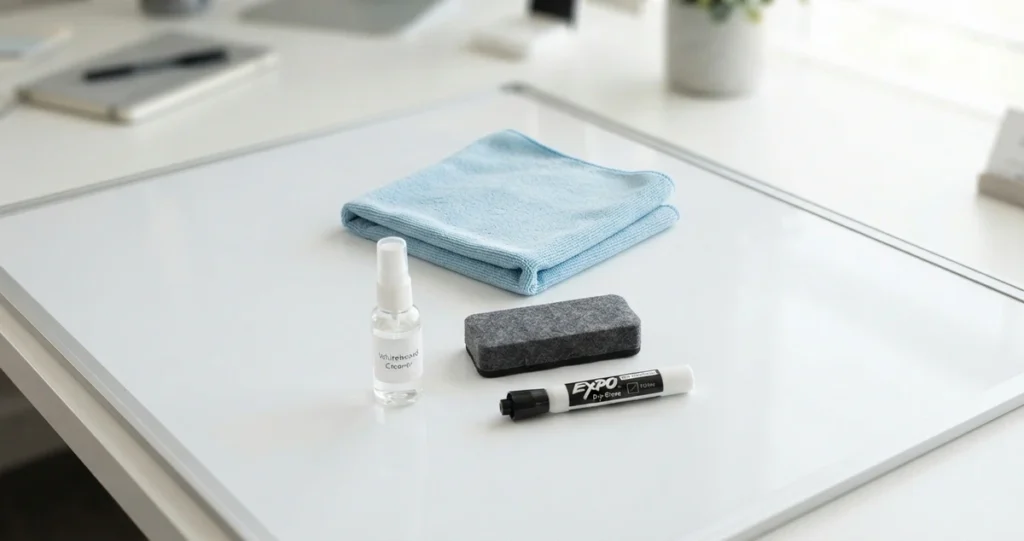
You do not need a large collection of cleaning products. For routine cleaning, start with:
- A clean whiteboard eraser
- Microfiber cloths
- Clean water
- Whiteboard cleaner, if needed
For stubborn stains, you may also consider a compatible solvent such as isopropyl alcohol. However, check the manufacturer’s cleaning instructions first, particularly if you have a laminate or melamine board.
Why a microfiber cloth helps
A clean microfiber cloth can pick up remaining ink and cleaning residue without requiring aggressive scrubbing. It is also useful for drying the board after cleaning.
Avoid using the same dirty cloth repeatedly. Once it becomes covered with marker pigment, you can end up spreading residue across the board instead of removing it.
How to Clean a Whiteboard Step by Step
1. Remove the existing dry-erase marker
Start by erasing the board normally with a clean whiteboard eraser.
Do not immediately reach for strong chemicals. If the board only has ordinary marker residue, a clean eraser may remove most of it.
If your eraser is already saturated with ink, clean or replace it before continuing.
2. Wipe the board with a damp microfiber cloth
For remaining surface residue, use a clean microfiber cloth that is slightly damp with water.
Work across the board using light pressure rather than aggressively scrubbing one area.
The goal is to lift residue from the surface without creating scratches or wearing down the finish.
3. Use whiteboard cleaner when necessary
If water is not enough, use a whiteboard cleaner according to its instructions.
Apply only as much as necessary and wipe the surface thoroughly afterward.
Leaving cleaner or dissolved ink on the board can contribute to residue buildup, so finish with a clean cloth.
4. Dry the whiteboard
Use a second dry microfiber cloth to remove remaining moisture.
A completely dry surface is easier to write on and helps prevent cleaning residue from interfering with future erasing.
How to Remove Old Marker Stains From a Whiteboard
Old marker stains, sometimes called ghosting, can be more difficult to remove than fresh ink.
Start with the least aggressive cleaning method:
- Erase the board with a clean eraser.
- Wipe it with a damp microfiber cloth.
- Use an appropriate whiteboard cleaner if residue remains.
- If the manufacturer permits it, consider a suitable solvent for particularly stubborn marks.
- Wipe the surface clean and dry it afterward.
Can you use rubbing alcohol on a whiteboard?
Rubbing alcohol, or isopropyl alcohol, is one of the most frequently suggested solutions for stubborn whiteboard ink. Some people also use alcohol-based hand sanitizer because it is often readily available.
However, alcohol is not automatically safe for every whiteboard.
Glass and porcelain boards have different surface characteristics from laminate and melamine boards. Some manufacturers warn that alcohol or other solvents can degrade certain surfaces with repeated use.
If you want to use isopropyl alcohol, check the manufacturer’s recommendations first and test it on a small area if appropriate.
How to Remove Permanent Marker From a Whiteboard
Accidentally using permanent marker on a whiteboard does not necessarily mean the board is ruined.
Try a dry-erase marker
One commonly recommended trick is to draw over the permanent marker using a fresh dry-erase marker.
Then erase the area immediately.
The reason this can work is that dry-erase ink contains solvents that can help loosen the older permanent ink.
This method is particularly useful when you only have a small permanent-marker mistake to remove.
For a large area covered in permanent marker, however, repeatedly using fresh dry-erase markers can be slower and more expensive than using an appropriate cleaning solution.
Use a compatible solvent for stubborn marks
If the dry-erase-marker method does not work, a suitable solvent may help.
Isopropyl alcohol is commonly suggested, while stronger products such as acetone or nail-polish remover are sometimes mentioned for particularly stubborn marks.
These stronger chemicals should not be treated as universal whiteboard cleaners. They can damage some surfaces.
Before using one, check the board manufacturer’s recommendations and test a small area if the manufacturer permits it.
How to Clean a Whiteboard Without Damaging It
Removing the stain is only half the job. A cleaning method that leaves the board permanently damaged is not a good solution.
Avoid abrasive sponges
Products such as melamine sponges, including Magic Erasers, are abrasive.
They may remove stubborn marks, but repeated use can wear or scratch the writing surface. Once the surface develops microscopic scratches, ink can become trapped more easily and the board may become increasingly difficult to erase.
For that reason, avoid treating an abrasive sponge as your everyday whiteboard cleaner.
Be careful with alcohol
Alcohol is frequently recommended online because it can dissolve marker residue effectively.
But effectiveness does not necessarily mean universal compatibility.
If your board has a laminate or melamine surface, check the manufacturer’s cleaning instructions before using alcohol. If you have a glass or porcelain board, the manufacturer’s recommendations should still be your first reference.
Avoid mixing cleaning products
Do not combine different cleaners to try to create a stronger solution.
Use one appropriate product at a time, follow its instructions, and wipe the surface thoroughly before switching to another cleaning method.
Why Is My Whiteboard Still Hard to Erase After Cleaning?
Sometimes the problem is no longer simply dirty ink.
Marker residue has built up
Years of marker residue can create a layer of ghosting that ordinary erasing cannot remove.
A deeper cleaning may restore some of the surface.
The surface has microscopic scratches
If the board has been repeatedly scrubbed with abrasive materials, the finish may have developed tiny scratches.
Ink can settle into these imperfections, making the board appear permanently stained.
The writing surface has deteriorated
Repeated exposure to unsuitable chemicals can also affect certain whiteboard finishes.
If careful cleaning no longer improves the board, the surface itself may have degraded.
At that point, replacing the board or investigating a suitable resurfacing product may make more sense than continuing to use increasingly aggressive chemicals.
How to Keep a Whiteboard Clean
Regular maintenance is easier than restoring a badly stained board.
Use the correct markers
Only use markers designed specifically for dry-erase boards.
Permanent markers should never be used for normal whiteboard writing.
Clean the eraser regularly
A dirty eraser can spread pigment around the board instead of removing it.
Wash reusable erasers when appropriate, or replace them when they become heavily saturated.
Use clean cloths
Keep a few microfiber cloths specifically for cleaning the board.
Once a cloth becomes covered with ink, switch to a clean section or a fresh cloth.
Clean residue before it builds up
If your board is used heavily every day, occasional deeper cleaning can prevent layers of residue from accumulating.
Common Whiteboard Cleaning Mistakes to Avoid
- Scrubbing the surface aggressively
- Using abrasive sponges repeatedly
- Using permanent marker
- Using alcohol without checking surface compatibility
- Applying too much cleaning product
- Leaving cleaner residue on the board
- Using a dirty eraser
- Mixing different cleaning chemicals
- Assuming every whiteboard has the same surface
The safest approach is to start with gentle cleaning and increase the strength of the treatment only when necessary.
Frequently Asked Questions
What is the best way to clean a whiteboard?
Start with a clean whiteboard eraser and microfiber cloth. For remaining residue, use water or a compatible whiteboard cleaner. Stronger cleaners should only be used when necessary and when they are safe for the board’s surface.
Can you clean a whiteboard with rubbing alcohol?
You can use rubbing alcohol on some whiteboards, but it is not suitable for every surface. Check the manufacturer’s recommendations before using it, especially on laminate or melamine boards.
Can you use hand sanitizer on a whiteboard?
Some people use alcohol-based hand sanitizer to remove marker residue. However, its suitability depends on the board surface, and any remaining residue should be wiped away.
How do you remove permanent marker from a whiteboard?
Try drawing over the permanent marker with a fresh dry-erase marker and erasing it immediately. If that does not work, use a compatible cleaning product recommended for your board.
Can you use Windex on a whiteboard?
Glass cleaners such as Windex are commonly recommended by users for removing marker residue, but they are not necessarily appropriate for every whiteboard finish. Check the manufacturer’s cleaning instructions first.
Can you use a Magic Eraser on a whiteboard?
A Magic Eraser can remove stubborn marks, but it is abrasive and can damage the writing surface over time. It is therefore not a good choice for routine whiteboard cleaning.
Why does my whiteboard not erase properly?
The surface may have accumulated marker residue, been damaged by abrasive cleaning, or deteriorated from unsuitable cleaning products. If careful cleaning does not improve it, the writing surface itself may be damaged.
Final Verdict
Learning how to clean a whiteboard is less about finding the strongest chemical and more about using the right method for the board you have.
For everyday cleaning, start with a clean eraser, microfiber cloth, and water or an appropriate whiteboard cleaner. For stubborn stains, stronger solutions such as isopropyl alcohol may work, but only when they are compatible with the board’s surface.
The dry-erase-marker trick can be useful for accidental permanent-marker stains, while abrasive products should generally be avoided because they can damage the writing surface.
If the board remains difficult to erase after careful cleaning, the problem may be permanent surface damage rather than leftover dirt. In that situation, resurfacing or replacement may be a better long-term solution than repeatedly applying stronger cleaners.


Pretty nice post. I just stumbled upon your blog and wished to say that I’ve truly enjoyed browsing your blog posts.
In any case I will be subscribing to your feed and I hope you write again soon!
Spot on with this write-up, I actually believe that this web site needs a lot more attention. I’ll
probably be back again to read more, thanks for the information!