
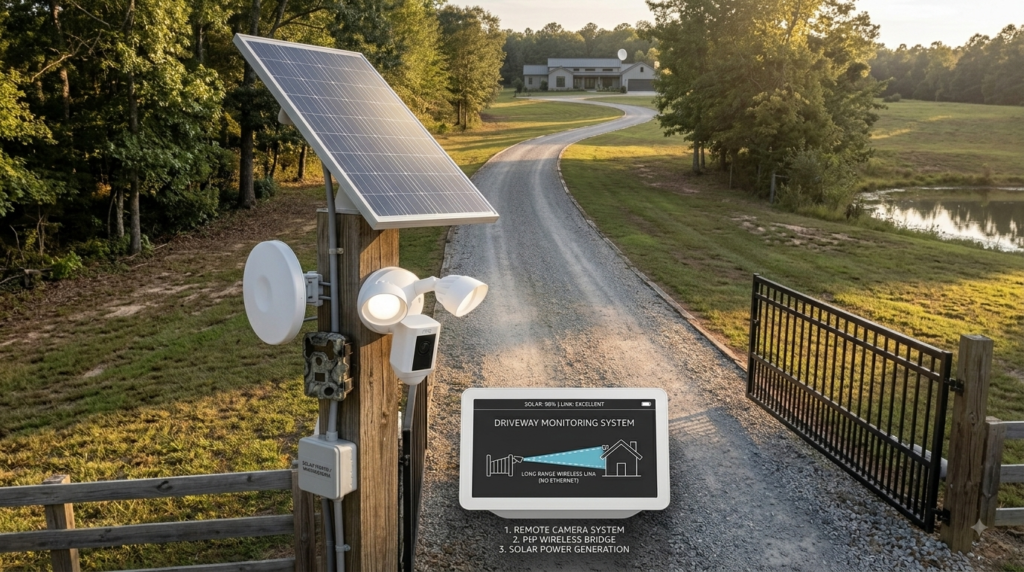
If you have a long driveway, installing a security camera can become surprisingly complicated. The house may have a good Wi-Fi connection, but the camera needs to sit much farther away—possibly near the garage, gate, parking area, or entrance to the property.
Running Ethernet cable all the way there can mean drilling through walls, burying cable, adding conduit, or figuring out how to protect the connection from weather. At that point, a simple camera installation can turn into a much bigger project.
The alternative is a camera that only needs electrical power at the remote location while using Wi-Fi for its network connection.
That’s where the Ring Floodlight Cam Wired Plus becomes interesting. Customer reviews describe using it to cover driveways, including installations positioned high enough to see a large area. One reviewer also described using the camera to check what was outside before opening the garage door.
So the question isn’t simply, “What’s the best driveway camera?”
It’s more specific:
How can you monitor a long driveway without running Ethernet cable to the camera?
Quick Answer: Is the Ring Floodlight Cam Wired Plus Right for a Long Driveway?

If you have electrical power where you want the camera installed and reliable Wi-Fi coverage at that location, the Ring Floodlight Cam Wired Plus is a practical option for monitoring a long driveway without running an Ethernet network cable.
Its biggest advantage for this particular problem is the installation concept: the camera is hardwired for power while connecting to your network wirelessly.
That means you can potentially position it at a more useful point along the driveway without having to route a network cable from your house.
Customer reviews also support the long-driveway use case. One owner installed the camera on the outside wall of a garage facing a two-car driveway and street, while another described using the camera to see outside before opening the garage door.
The Problem With Monitoring a Long Driveway
A short driveway is relatively easy.
You can often mount a camera close to the house and still capture most of the area.
A long driveway is different.
The camera may need to be positioned much farther from your main building to capture the entrance, vehicles, visitors, or activity approaching the property.
That’s where network cabling becomes the headache.
You might have electrical power at the desired location because there’s already an outdoor light or other electrical connection. However, running Ethernet is another matter entirely.
You may need to:
- Drill through walls
- Run cable through an attic or crawl space
- Bury cable underground
- Install protective conduit
- Weatherproof exterior connections
- Deal with a long cable route
- Troubleshoot the network connection afterward
And if the driveway is particularly long, the most useful camera position may be nowhere near the house.
This creates a very specific installation problem:
You need power at the camera, but you don’t necessarily want to run a network cable there.
What a Good Long-Driveway Camera Setup Needs
Before choosing a camera, think about the actual requirements.
1. Wi-Fi at the Camera Location
If you’re avoiding Ethernet, the camera needs a reliable wireless connection.
A strong internet connection inside the house doesn’t automatically mean the signal will be strong at the end of a long driveway.
Therefore, check the Wi-Fi signal where you actually plan to install the camera.
Customer feedback on Ring shows why this matters. Some owners report reliable connectivity, while others have experienced signal or connection problems.
2. Electrical Power
The Ring Floodlight Cam Wired Plus is a wired product, so you’re not eliminating wiring completely.
You’re eliminating the need to run Ethernet to the camera.
That’s an important distinction.
If you already have a suitable powered outdoor light at the location, replacing that fixture with a floodlight camera can be particularly convenient. One customer specifically described replacing an existing outdoor light with the Ring and finding installation straightforward.
3. A Useful Viewing Position
Distance isn’t everything.
A camera mounted too low, facing the wrong direction, or blocked by landscaping may not give you the coverage you need.
One reviewer described mounting their Ring Floodlight Cam around eight feet high on a garage and facing a two-car driveway and street. They emphasized that measuring the mounting position carefully was important.
4. Nighttime Visibility
A long driveway can be especially difficult to monitor after dark.
The floodlight component gives you an advantage over a basic camera because the area can be illuminated when motion is detected.
Customer reviews describe the floodlights as useful for driveways and other outdoor areas, with several users specifically praising the combination of lighting and video.
How the Ring Floodlight Cam Solves the Ethernet Problem
The appeal becomes clearer when you look at the setup as a whole.
Imagine you have a garage at the side of your house with electrical wiring already available.
Your driveway extends well beyond it.
Instead of figuring out how to run Ethernet from the router to the camera, you can install the wired Ring camera where the electrical connection is available and use Wi-Fi for its network connection.
The result is:
Electrical power → camera
Wi-Fi → network connection
That is the important distinction.
You’re not getting a completely wireless camera. You’re getting a camera that doesn’t require a physical Ethernet network cable running back to your router.
For a long driveway, that can eliminate one of the biggest installation obstacles.
What Monitoring the Driveway Could Look Like
Imagine you’re inside the house late at night.
You hear a vehicle or movement somewhere down the driveway.
Normally, you might have to walk to a window, turn on an outside light, or physically go toward the garage to find out what’s happening.
With a properly positioned floodlight camera, you can receive a motion notification and check the camera from your phone.
One customer specifically described using the camera to see outside at night before opening the garage door. They said motion detection and notifications meant they didn’t have to remember to manually check the camera.
That changes the experience.
Instead of:
Noise outside → uncertainty → go investigate
you can have:
Motion → notification → check camera → decide what to do
That’s particularly useful when the driveway is long enough that you can’t easily see the entrance from the house.
Why a Floodlight Camera Makes Sense for a Long Driveway
A basic Wi-Fi camera could solve the network problem, but the Ring Floodlight Cam adds another useful function: illumination.
When movement occurs, the floodlights can make the driveway easier to see.
One customer said they installed the camera to replace motion-detector floodlights and appreciated having the camera connected to the motion system. The same reviewer reported that the system had already notified them about a large bear approaching the driveway.
That illustrates the broader value.
The camera isn’t only useful when there’s a person approaching.
It can help you understand what is happening along a remote driveway, whether that means a vehicle, person, animal, or other movement.
Another reviewer praised the ability to set a perimeter and avoid receiving alerts every time a car drove past, although experiences with motion detection can vary depending on the setup.
If your main obstacle is that the best camera position is far from the house but you already have power available there, this is where the Ring Floodlight Cam Wired Plus starts to make a lot of sense.
You don’t have to treat a long driveway as a reason to run Ethernet across the property. A wired camera using Wi-Fi can be a much simpler approach when the network signal is strong enough.
Important Things to Check Before Buying
The Ring’s Wi-Fi design doesn’t mean you can install it anywhere.
Check Your Wi-Fi First
This is probably the most important consideration.
The camera needs a usable Wi-Fi connection where it will be mounted. Customer reviews include both positive experiences and complaints about insufficient signal or cameras occasionally becoming unavailable.
If the driveway is extremely long and the camera is beyond your router’s useful range, you may need to improve your Wi-Fi coverage first.
You Still Need Electrical Wiring
The word “without Ethernet” shouldn’t be confused with “wireless.”
The Ring Floodlight Cam Wired Plus still requires electrical power.
That’s actually an advantage if you’re replacing an existing outdoor light, because the electrical connection may already be available.
Measure Before Installing
Camera position matters.
One customer described carefully measuring the location before drilling through the garage exterior.
Before installation, consider:
- How much of the driveway is visible?
- Where does the driveway begin?
- Where do vehicles approach?
- Is the camera too high or too low?
- Will the floodlights illuminate the important area?
- Is the Wi-Fi signal strong enough?
Expect Some Motion Alerts
A long driveway can have plenty of movement.
Cars, people, animals, branches, and other objects can trigger detection depending on your settings.
One customer reported false alerts caused by wind moving tree branches and noted that advanced detection features can help reduce unwanted alerts.
Therefore, take some time to configure motion zones and sensitivity rather than simply leaving every setting at maximum.
Consider Recording Costs
Some customer reviews mention that historical video access requires a subscription or another storage arrangement.
If your main reason for buying the camera is being able to look back at what happened while you were asleep or away, check the current Ring plan details before purchasing.
FAQs
How can I monitor a long driveway without running Ethernet cable?
A wired outdoor camera that uses Wi-Fi for its network connection can monitor a long driveway without requiring an Ethernet cable between the camera and router. You still need electrical power at the camera location.
Can the Ring Floodlight Cam monitor a long driveway?
Yes, customers report using Ring Floodlight Cams to monitor driveways, including cameras mounted on garages and positioned to cover driveway and street areas.
Does the Ring Floodlight Cam need Ethernet?
The key advantage for this use case is that it can use Wi-Fi for its network connection, so you don’t need to run Ethernet to the camera. However, the Wired Plus model still requires electrical power.
How far can a Ring camera be from Wi-Fi?
There isn’t one universal distance that guarantees reliable operation. Walls, building materials, interference, router placement, and the camera’s location all affect the signal. Check your actual Wi-Fi coverage at the planned installation point.
Can I see my driveway from my phone?
Customer reviews describe using the Ring app to view outdoor areas remotely and receiving motion notifications on their phones.
Is a floodlight camera better than a regular driveway camera?
It depends on what you need. If you want both outdoor lighting and video monitoring from one installation point, a floodlight camera can be more useful than a camera alone.
Can the Ring Floodlight Cam detect animals on my driveway?
Customer reviews indicate that Ring Floodlight Cams can detect animal movement, including wildlife around driveways and yards. One reviewer reported receiving an alert about a large bear approaching the driveway.
Final Verdict
If you’re searching for how to monitor a long driveway without running Ethernet cable, the Ring Floodlight Cam Wired Plus is a strong product to consider when you have electrical power available at the desired camera location and sufficient Wi-Fi coverage.
That’s the key distinction.
You’re not looking for a completely wireless security camera. You’re looking for a camera that doesn’t require you to run a network cable all the way back to your router.
The Ring fits that particular situation well.
Customer experiences show the product being used on garages and driveways, with remote viewing, motion notifications, nighttime visibility, and floodlighting. One reviewer specifically used the camera to check what was outside before opening the garage door. Another described positioning it on a garage to cover a driveway and street.
Imagine having a long driveway that previously felt like a blind spot.
Instead of running Ethernet across the property, you install the camera where power is available, connect it to Wi-Fi, adjust the viewing and motion zones, and monitor the driveway from your phone.
When something happens, you don’t necessarily have to walk outside to find out what it was.
You can check first.
That is the real value of this setup.
It isn’t the right choice if there is no suitable electrical connection, if Wi-Fi cannot reach the installation point, or if you specifically need a wired Ethernet connection for your network. And you’ll want to account for potential motion alerts and recording-plan costs.
But for the homeowner with a long driveway, power available at a distant location, and no desire to run Ethernet, the Ring Floodlight Cam Wired Plus is a particularly logical solution.
If that’s your exact installation problem, this is a product worth checking.


